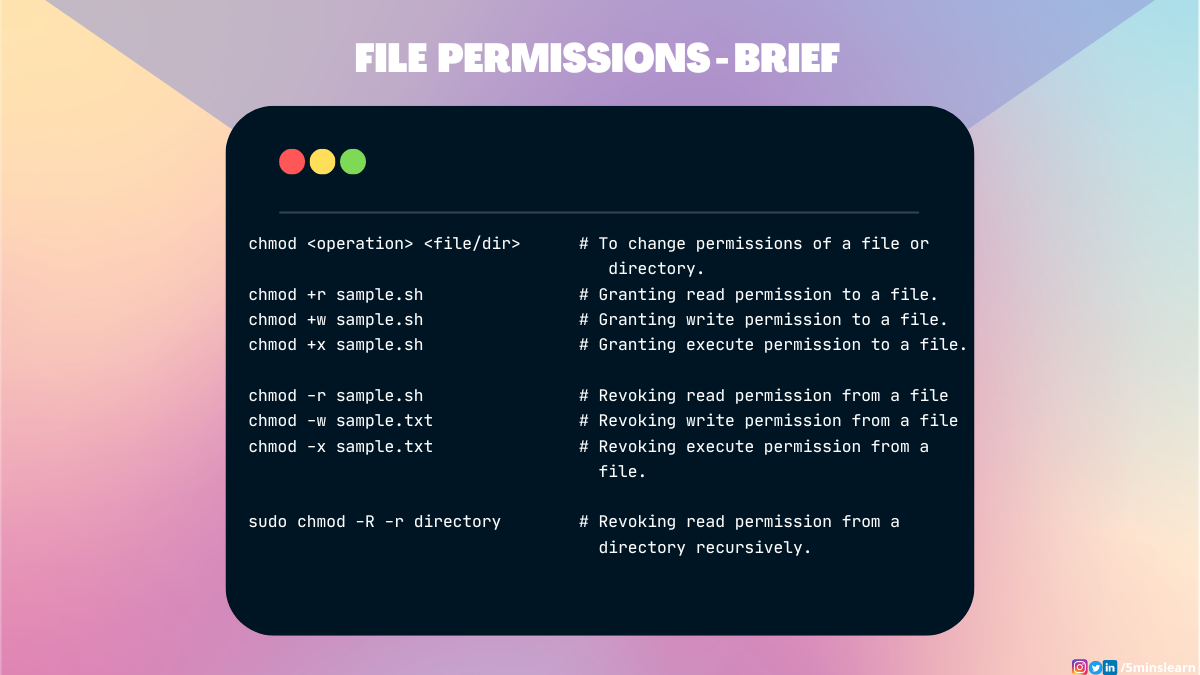
chmod is a shell command for changing access permissions and special mode flags of files (including special files such as directories). The name is short for change mode where mode refers to the permissions and flags collectively.
The command originated in AT&T Unix version 1 and was exclusive to Unix and Unix-like operating systems until it was ported to other operating systems such as Windows (in UnxUtils) and IBM i.
In Unix and Unix-like operating systems, a system call with the same name as the command, chmod(), provides access to the underlying access control data. The command exposes the capabilities of the system call to a shell user.
As the need for enhanced file-system permissions grew, access-control lists were added to many file systems to augment the modes controlled via chmod.
The implementation of chmod bundled in GNU coreutils was written by David MacKenzie and Jim Meyering.
Use
Although the syntax of the command varies somewhat by implementation, it generally accepts either a single octal value to which to set the permission value or a comma-delimited list of symbolic specifiers that describe how to change the current settings. A command ends with a space-delimited list of paths to files to be modified.
Changing permissions is only allowed for the superuser (root) and the owner of a file.
If a symbolic link is specified, the linked file is affected. Permissions directly associated with a symbolic link file system entry are typically not used.
Options
Optional, command-line options may include:
-Rrecursive; include contained files and subdirectories of specified directories-vverbose; log changed file names
Permission notation
To view the permission settings of a file, the ls or stat commands may be used.
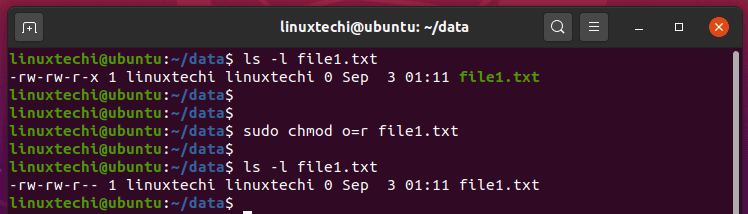
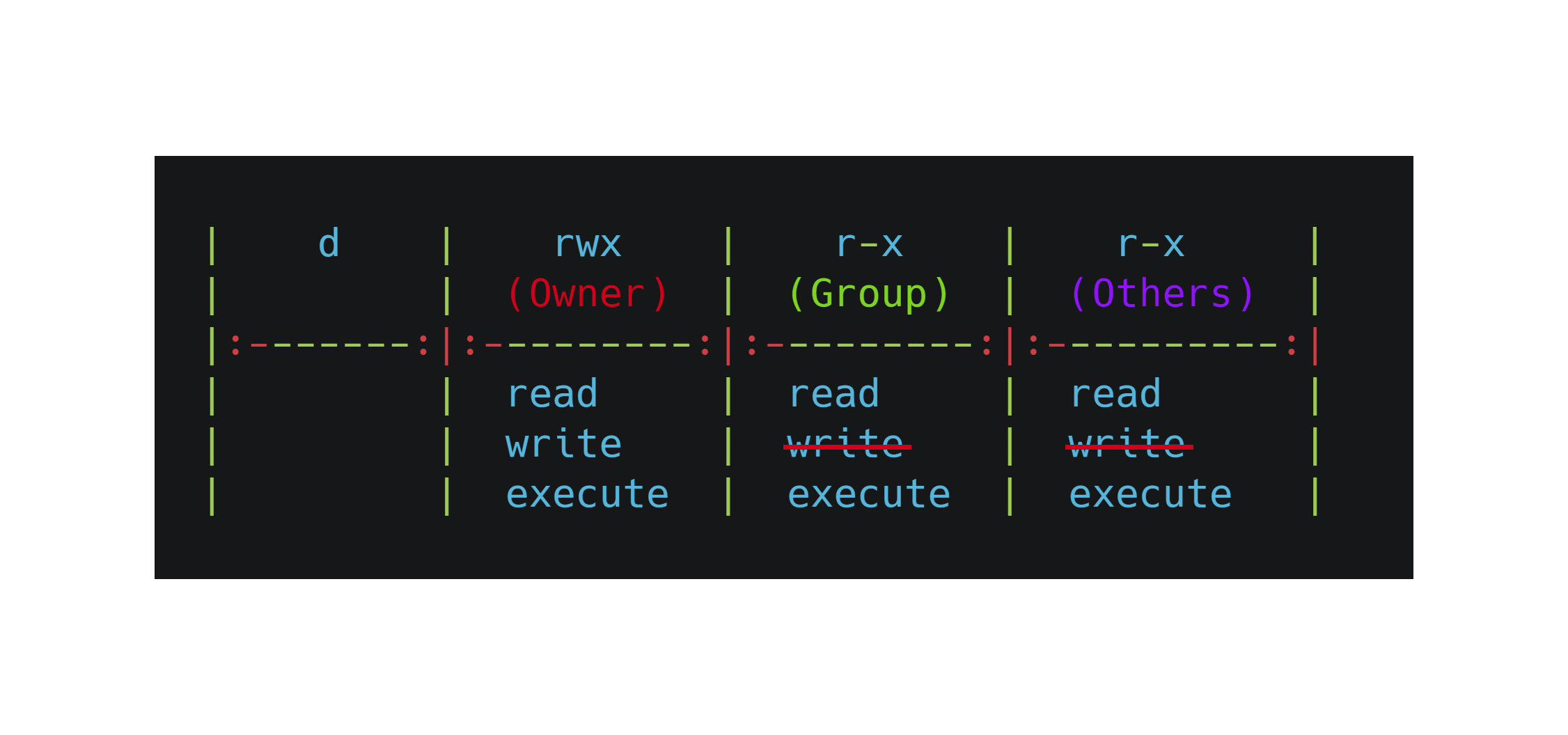
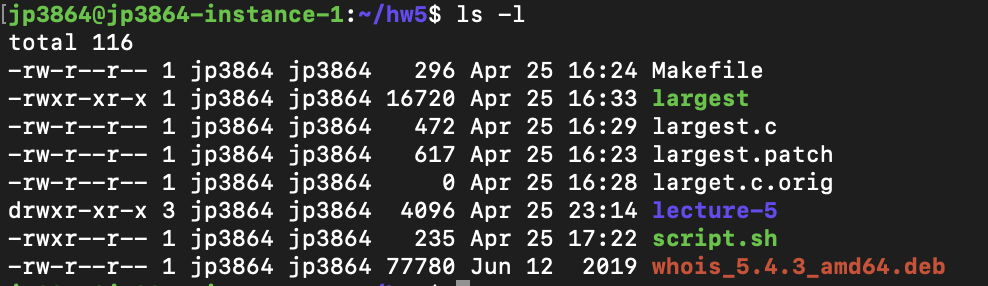
ls -l logs permissions in a symbolic notation that consists of 10 letters. The first indicates the type of the file system entry, such as dash for regular file and 'd' for directory. Following that are three sets of three letters that indicate read, write and execute permissions grouped by user (ower), group and others. Each position is either dash to indicate lack of permission or the single-letter abbreviation for the permission to indicate that its granted. For example:
The permission specifier -rwxr-xr-- starts with a dash which indicates that findPhoneNumbers.sh is a file; not a directory. The next three letters rwx indicate that the file can be read, written, and executed by the owning user dgerman. The next three letters r-x indicate that the file can be read and executed by members of the staff group. And the last three letters r-- indicate that the file is read-only for other users.
stat -c %a logs permissions in numeric notation. For example:
Octal notation
The chmod octal format is up to four digits. The last three define permissions for the owning user, owning group, and others. An optional leading 4th digit specifies the special setuid, setgid, and sticky flags. Each of the last three digits represents a bit-field which controls the read (4), write (2) and execute (1) permissions, respectively. A set bit (1) grants the action, while a clear bit (0) denies it.
For example, 754 allows:
- user class: read, write, and execute; 7 => (4 2 1)
- group class: read and execute; 5 => (4 1)
- others class: read only; (4)
A code permits execution if and only if it is odd (i.e. 1, 3, 5, or 7). A code permits read if and only if it is greater than or equal to 4 (i.e. 4, 5, 6, or 7). A code permits write if and only if it is 2, 3, 6, or 7.
Symbolic notation
The chmod command accepts symbolic notation that specifies how to modify the existing permissions. The command accepts a comma-separate list of specifiers like: [classes] |-|=operations
Classes map permissions to users. A change specifier can select one class by including its symbol, multiple by including each class's symbol with no delimiter or if not specified, then all classes are selected and further the bits of umask mask will be unchanged. Class specifiers include:
As ownership is key to access control, and since the symbolic specification uses the abbreviation o, some incorrectly think that it means owner, when, in fact, it is short for others.
The change operators include:
Operations that can be granted or denied include:
Special modes
The chmod command can change the special modes of a file. The symbolic notation uses 's' to represent the setuid and setgid modes, and 't' to represent the sticky mode. The modes are only applied to the appropriate classes, regardless of whether or not other classes are specified.
Most operating systems support the specification of special modes numerically, particularly in octal, but some do not. On these systems, only the symbolic notation can be used.
Examples
Add write permission to the group class of a directory, allowing users in the same group to add files:
Remove write permission for all classes, preventing anyone from writing to the file:
Set the permissions for the user and group classes to read and execute only; no write permission; preventing anyone from adding files:
Enable write for the user class while making it read-only for group and others:
To recursively set access for the directory docs/ and its contained files:
chmod -R u w docs/
To set user and group for read and write only and set others for read only:
chmod 664 file
To set user for read, write, and execute only and group and others for read only:
chmod 744 file
To set the sticky bit in addition to user, group and others permissions:
chmod 1755 file
To set UID in addition to user, group and others permissions:
chmod 4755 file
To set GID in addition to user, group and others permissions:
chmod 2755 file
See also
attribcacls, modifies access control listschattr, changes the attributes of a filechgrp, changes the group of a filechown, changes the owner of a file- Group identifier – Unix/POSIX system account group number; numeric value used to represent a specific group
- List of POSIX commands
- User identifier – Value identifying a user account in Unix and Unix-like operating systems
umask, restricts permissions at file creation
References
External links
chmod(1): change file modes – FreeBSD General Commands Manualchmod(1)– Plan 9 Programmer's Manual, Volume 1chmod(1)– Inferno General commands Manualchmod— manual page from GNU coreutils.- GNU "Setting Permissions" manual
- CHMOD-Win 3.0 — Freeware Windows' ACL ↔ CHMOD converter.
- Beginners tutorial with on-line "live" example